Computers and Macs
Computer trouble fixed at your kitchen table.
Slow PCs and Macs, pop-ups and viruses, new computer setup, moving your photos and files, printers, email and passwords. Patient help in plain English.

Sound familiar?
Problems we fix every week.
It is so slow
Takes forever to start and freezes when you need it.
Something looks wrong
Pop-ups, odd emails or a call claiming to be Microsoft.
Email and accounts
Locked out, missing emails or too many passwords.
What we install
The exact gear, and what it costs.
These are the products we recommend and install most. Hardware prices are typical Canadian retail; you can buy it yourself or we can supply it. Labour figures are averages from our past jobs across the Lower Mainland.
Microsoft 365 Family
Office apps and 1 TB of OneDrive storage each for up to 6 people. We set it up and move your files.
- Hardware (typical retail)
- $110 to $140 per year
- Our install labour
- $129 per hour setup
Bitwarden password manager
Family password manager so nobody reuses passwords again.
- Hardware (typical retail)
- Free to $60 per year
- Our install labour
- $129 per hour setup
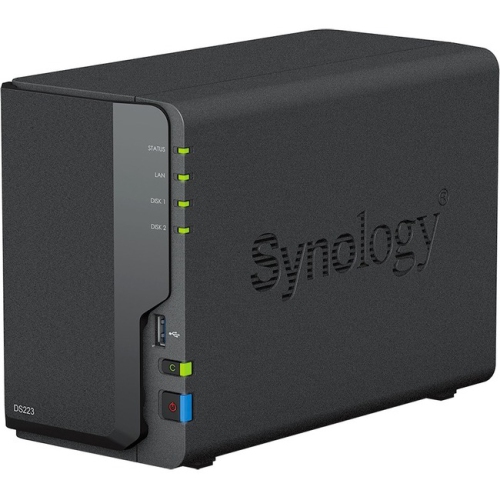
Synology DS223 2-bay NAS
Home backup and photo storage box, a private alternative to cloud storage.
- Hardware (typical retail)
- $400 to $500 plus drives
- Our install labour
- $250 to $500 setup

Samsung T7 portable SSD
Fast external drive for Time Machine or File History backups.
- Hardware (typical retail)
- $120 to $250
- Our install labour
- Included in a tune-up
Typical cost by home
Computer & Mac Help: what most homes spend.
Typical all-in cost (hardware plus installation, before GST) based on similar Lower Mainland homes. Every job is quoted upfront after a quick look at your home.

What is included
Done properly, the first time.
- Tune-ups, clean-ups and malware removal
- New PC or Mac setup with all your files moved over
- Photo, document and email transfers
- Printer and scanner setup
- Backups to the cloud and an external drive
- Password manager and two-step login set up
- Lessons for parents, grandparents and kids
How it works
Simple from start to finish.
Describe it
Tell us the symptoms. Many problems can be fixed remotely.
Remote or visit
We fix it online or book an in-home visit.
Fixed and backed up
We fix it and make sure your files are backed up.
Show you
A quick walk-through so you feel confident.
Questions
What people ask us.
Is it worth fixing my old computer?
We will tell you honestly. If a repair costs more than half of a new one, we usually suggest replacing it and moving everything across.
Can you help over the phone?
Yes. Secure remote support works for most software problems.
I think I was scammed. What now?
Disconnect the computer from the internet, do not pay anything, and call us. We will check the computer and help secure your accounts.
Tech trouble? We will come to you.
Tell us what is going on. You will hear back from a real person, usually within a few business hours.